Template Overview
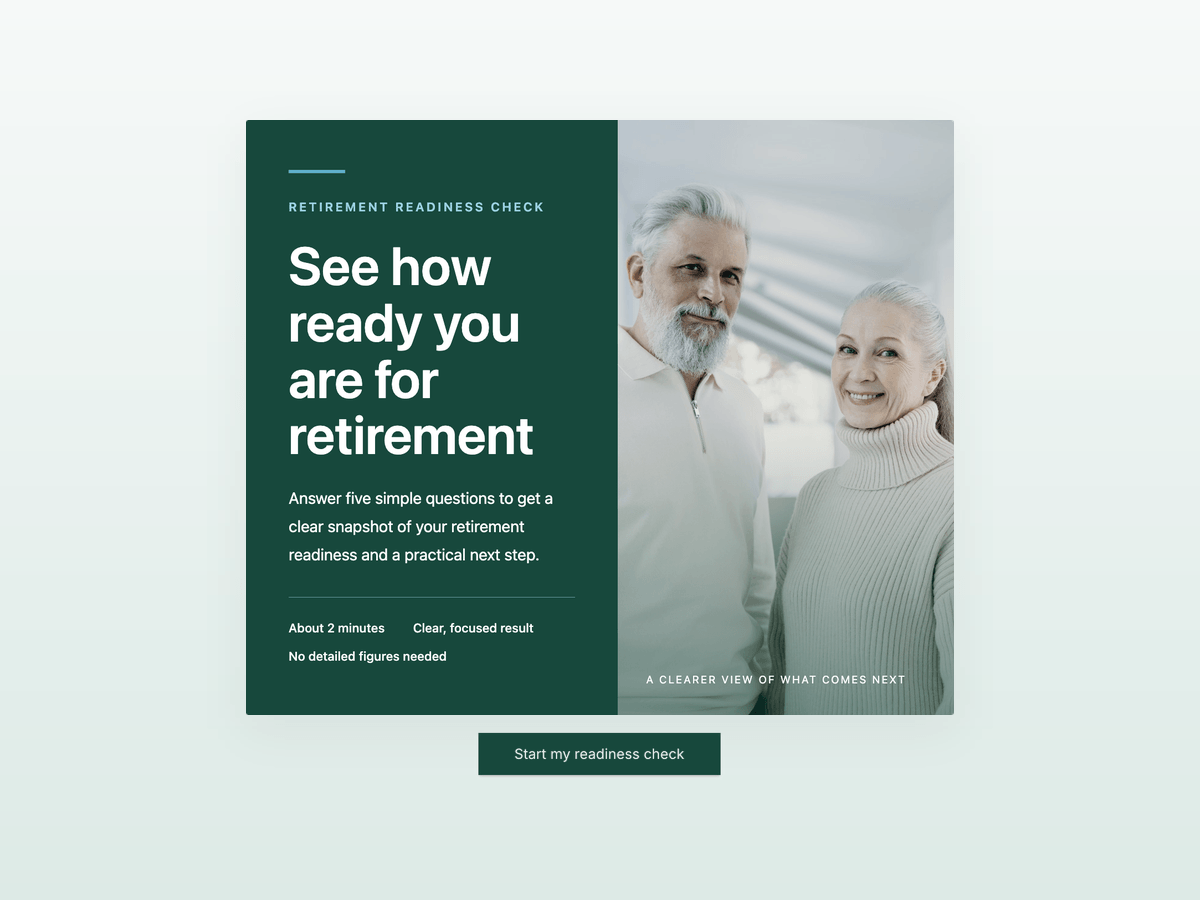
Ask someone whether they're on track for retirement and you usually get a shrug. This retirement readiness score template turns that shrug into a number in about 2 minutes, without asking for account balances or detailed figures.
Five multiple-choice questions cover the inputs that move the result most: retirement savings so far, workplace pension or similar benefit, monthly savings rate, target retirement age and current age bracket. Each answer carries a point value, and score-based outcomes place the respondent in one of 3 bands: Low, Moderate or Strong readiness. The result page greets them by first name, shows their score, lists 3 priorities for their band and repeats their answers in a short snapshot.
Every band ends with the same next step: book a 30-minute call with an advisor. That makes it a lead generation quiz for financial advisors, wealth managers and insurance advisors who sell retirement planning. A note on each result page states that the check is a general starting point and does not replace personalized financial advice.
Key Features
Five questions, no paperwork - broad ranges such as Under $25,000 or 5%-10% let people answer from memory. Nobody has to log in to a pension portal to finish, and that is what gets them to the end.
Score-based outcomes in 3 bands - answers add up to one readiness score, and the outcome ranges decide whether the respondent sees Low, Moderate or Strong. Turn on Individual Score & Calculation to weight savings or age more heavily than the other inputs.
A personal result with answer snapshot - answer piping puts the first name, the score and all 5 answers on the outcome page, so the result reads like a short personal report.
An advisor call as the next step - each result recommends a 30-minute call. Add the Schedule Appointments element to show your Calendly, Cal.com or HubSpot calendar right on the result page.
Disclaimer included - every outcome page carries a line stating that the check is a general starting point and not personalized financial advice. Edit it to match the wording your compliance rules require.
Benefits
Warm leads with context - you see the savings band, pension status, savings rate and target age before the first call, so you walk in prepared and skip most of the fact-find.
A reason to talk for every band - Low readiness gets a plan, Moderate gets a pressure test and Strong gets a review. Every respondent has a reason to book.
Follow-up by readiness band - email automation branches on the outcome, so a Low readiness lead and a Strong readiness lead get different email sequences.
One check, several offers - the same quiz funnel sells pension products, retirement planning or wealth management reviews. Change the copy on the result pages and keep the scoring.
Embeds on your site - run it inline on a retirement planning page, as a pop-up on your blog or as a standalone link in client newsletters.
How It Works
Customize
Change the savings ranges to your currency and client base: $300,000 or more is a high band for some practices and a starting point for others. Rename workplace pension to 401(k), occupational pension or whatever your clients recognize. Then add your logo, colors and fonts.Configure
Open the outcome settings and set the score range for Low, Moderate and Strong. Decide which answers deserve more weight with Individual Score & Calculation. Review the 3 priorities on each result page and the disclaimer at the bottom. Then add a Schedule Appointments element or a booking button below the next step, so respondents can book the call right away.Connect
In the Connect tab, send contacts and scores to your CRM, for example HubSpot, Salesforce or Pipedrive. Then build an email automation workflow on the Completed Submission trigger: send the result by email, wait 3 days, then branch by readiness band with a reminder to book the call.Share
Embed it on your retirement planning page, link it from client newsletters or seminar slides, or open it as a pop-up on articles about pensions and saving. A standalone link works well in LinkedIn posts aimed at people in their 40s and 50s.Analyze
Watch how the results spread across the 3 bands. If almost everyone lands in Strong, your audience is wealthier than the default ranges assume, so raise them. Track how many respondents in each band book a call, and rewrite the result page that converts worst first.
FAQs
-
It is a quick self-assessment that turns a few retirement inputs into one number and a band. This template uses savings so far, workplace pension or benefit, monthly savings rate, target retirement age and age bracket, and sorts the result into Low, Moderate or Strong readiness.
-
Financial advisors, wealth managers, independent financial planners and insurance advisors who sell retirement products. It works as a lead magnet on a retirement planning page and as a conversation starter for existing clients before an annual review.
-
It is a Score-based Outcomes funnel. Every answer carries a point value, the values add up to one score, and the outcome ranges you set decide which band the respondent sees. With Individual Score & Calculation you can weight answers differently, for example giving the savings question more points than the age bracket.
-
No. Each result page states that the check is a general starting point designed to support a conversation and does not replace personalized financial advice. Check the wording against the disclosure rules that apply to your practice before you publish.
-
Yes. The ranges are in US dollars by default, from under $25,000 to $300,000 or more. Edit the answer labels to euros, pounds or any other currency and move the thresholds to match your typical client.
-
Build an email automation workflow on the completed submission and branch on the outcome. Low readiness contacts get a short email sequence that explains one first step and links to your calendar, Strong readiness contacts get an invitation to a review. A Send Internal Email step tells you when someone finishes.


